



You use Google every day. You type a query. You get an answer. It feels mechanical. Predictable. But the search giant has been hiding secrets in plain sight for decades. These aren’t bugs. They are Easter eggs.
They range from silly animations to deep cuts of pop culture. Sometimes they tilt your browser. Sometimes they reference sci-fi lore. They are deliberate surprises buried in the code, waiting for someone to type the right phrase.
What is a Digital Easter Egg?
The term comes from the holiday tradition of hiding colored eggs. In software, it means the same thing. It is a hidden message, image, or feature tucked away in a product.
Think of it as a reward. It is for users who pay attention. Or the ones who stumble upon it by accident. The joy comes from the unexpected nature of it. No one tells you it is there. You just find it.
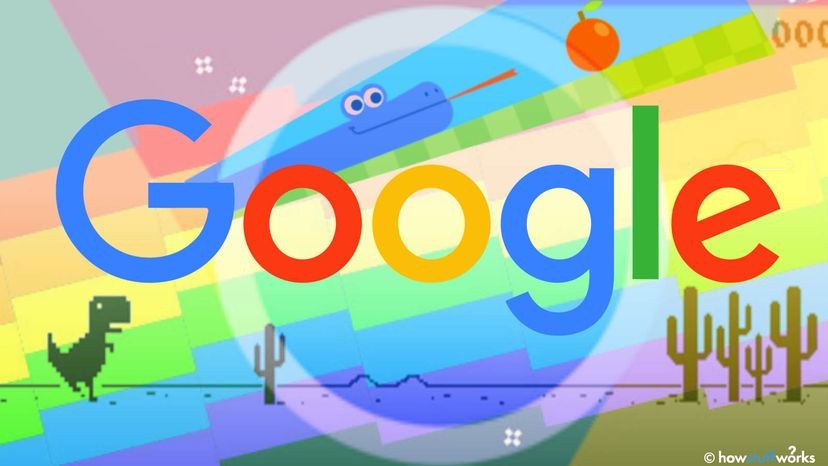
Google does this often on its homepage. Whimsical doodles appear for birthdays, holidays, or historical events. Most people see them. Few know they are part of a larger tradition of hidden developer humor.
The Origin Story: A Developer’s Protest
This practice didn’t start with search engines. It started in 1976. Atari designer Warren Robinett was angry. Warner Communications had taken over. The new bosses said designers would not get credit for their work.
Robinett didn’t accept that. He coded a hidden message into Adventure. It was his signature. It was there forever, regardless of corporate politics.
From that moment, Easter eggs became a staple of video games and software. They are a way for creators to leave a mark. A small act of defiance. A personal touch in mass-produced code.
Google’s Romantic Start
Google joined the trend early. At least since 2000. The first example was not a joke. It was a gesture.
Sergey Brin, co-founder of Google, asked Ken Perlin, a computer science professor, to do something special. Perlin had created a special heart character for an app. Brin wanted it in the search results.
It was a Valentine’s Day experiment. The original page is archived now. But the mechanism remains. You can still trigger it by typing specific mathematical code into the search bar. It was a humble beginning. It showed Google cared about the “why” behind the search, not just the “what.”
The Konami Code Cheat
Developers kept adding more tricks. One of the most famous is the Konami Code. It originated in the arcade game Contra. It gave players unlimited lives.
The sequence is specific: Up, Up, Down, Down, Left, Right, Left, Right, B, A.
Google adapted this for voice search. Say the code. You unlock “Google cheat mode.” You get unlimited searches. It is cheeky. Google already gives you unlimited searches. But the illusion of power is fun.
13 Hidden Features to Try Now
You can test these yourself. They are harmless. They are just for fun. Here are some of the most reliable Google Easter eggs.
1. Do a Barrel Roll
Type this phrase. The page will physically rotate. It mimics the flight maneuver in space games.
2. Askew
Search for this word. The entire results page tilts slightly to the side. It visualizes the definition.
3. Flip a Coin
Search for this. A virtual coin flips on the screen. It lands on heads or tails.
4. Recursion
Search for this computer science term. You get a definition. Then you see a box that says “The definition of recursion is…” It loops. It is a classic programmer joke.
5. The Answer to Life, the Universe and Everything
Reference Douglas Adams’s Hitchhiker’s Guide to the Galaxy. The result is 42. If you don’t know the book, it looks like a random fact.
6. Conway’s Game of Life
This triggers a simulation of John Conway’s cellular automaton. Cells appear and disappear based on simple rules. It is beautiful and chaotic.
7. Anagram
Search for this. The page displays an anagram of the word “anagram.” It plays with the concept of rearranging letters.
8. Solar Eclipse
Search for this during an actual solar eclipse. Or just search for it. Google often adds a darkened overlay to simulate the sky going dark. It is a sensory experience.
9. Google Logo History
This takes you to a dedicated page showing how the Google logo has changed since 1998. It is a timeline of brand evolution.
10. Bletchley Park
Search for this British estate. It brings up information about the WWII codebreaking center. It is a nod to Alan Turing and the history of computing.
11. Pi
Type this. The calculator widget at the top of the results displays the Pi symbol ($\pi$). It uses the actual math constant.
12. Once in a Blue Moon
Search for this. You get a precise mathematical calculation of when the next blue moon occurs. It is above the dictionary definition. It treats poetry as data.
13. Blink HTML
Type this. It references the obsolete tag in HTML. It triggers a result that might flash or highlight, mocking old web design trends.
Why These Matter
They seem trivial. A rotating page. A tilting font. But they break the monotony. They remind us that behind the sterile interface are humans with sense of humor.
They connect us to history. To games. To science. To literature.
You don’t need to know how to code to enjoy them. You just need to look. Or type. Or listen.
The search bar is a portal. Most of the time, it leads to answers. Sometimes, it leads to a joke. Or a heart. Or a game.
What else is hiding in the code?
The ghosts of searches past
Not every Google Easter egg survives the test of time. That is the inherent risk of digital surprises. They are elusive by design. Google’s policy is simple: they introduce new quirks on the search results page, but they can also pull the plug without warning. Often, they do. The hunt is part of the charm, but so is the disappearance.
Here are three famous Google Easter eggs that no longer work as intended.
The Zerg Rush
Once, typing “Zerg rush” transformed the search homepage into a real-time strategy game. Pixels swarmed the screen. You had to defend your Google logo. It was a clever nod to StarCraft. Now, the feature is defunct. The search page just looks like a search page again.
The Monty Python Glitch
Try entering this specific nonsense phrase into Google Translate: “Wenn ist das Nunstück git und Slotermeyer? Ja! Beiherhund das Oder die Flipperwaldt gersput!”
In the past, this triggered a “FATAL ERROR” warning. It is an obscure reference, likely appealing only to Monty Python fans. The joke relies on German-sounding gibberish crashing the system. Today, it just translates to nonsense. The error screen is gone.
The Birthday Spinner
Google used to have a spinner for its birthday doodles. If you searched for the company’s anniversary, a wheel spun to reveal past celebrations. That specific mechanic has been discontinued. You can still find archived versions of old Google doodles, but the interactive spinner itself is history.
Where to look next
Google hides new Easter eggs across its entire product portfolio. They are not limited to the search bar. You can find them on YouTube, Google Maps, Google Translate, and just about any service the company touches.
If you know what you are looking for, the hunt becomes a game. You start poking around. You check corners of the interface. You type strange queries. You never know what might appear or what might vanish.
That uncertainty is the point.
Calculated chaos
Multiple Easter eggs can interact simultaneously. This is where the logic breaks down in the best way.
Enter this string: “the number of horns on a unicorn plus the answer to life the universe and everything.”
Most users expect a complex calculation or an error. Instead, Google returns the answer: 43.
It is a number that means nothing, unless you know it means everything. Or nothing at all.
You have the list. You know the risks. Now you can start making your own checklist. Find the ones you like. Document the ones you find. Because the next time you search, the world might look slightly different. Or it might not.