


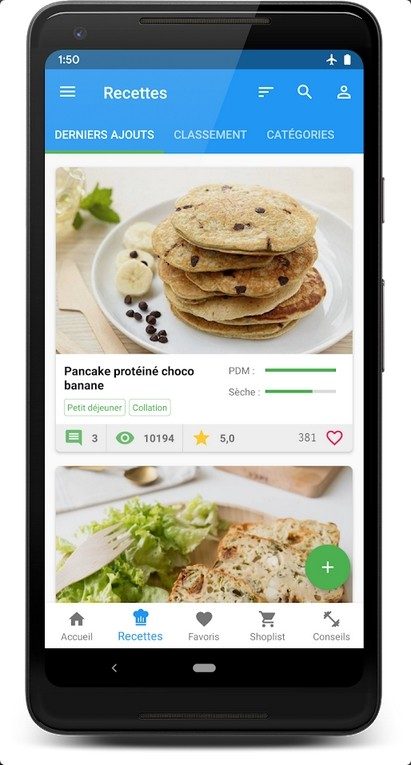
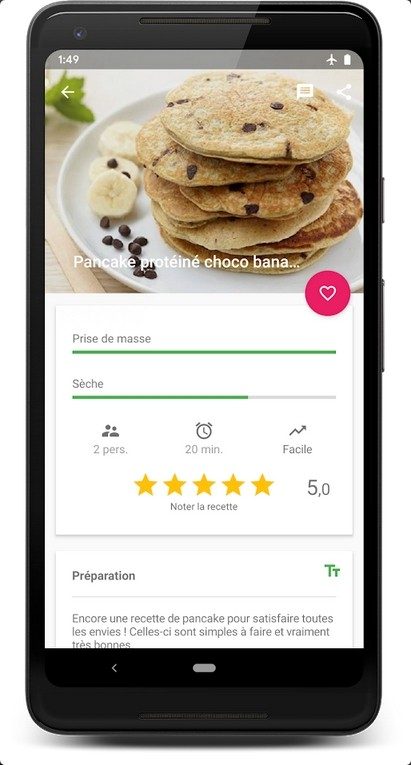
Cook & Lift sits at the weird and wonderful intersection of kitchen and gym. This is an Android only app designed for people who want to eat well without compromising on their workout results. The premise is simple, but effective. It’s about adapting nutrition to training. Whether you’re trying to gain muscle, lose weight, or just maintain your current shape, this app tries to remove the macro calculations behind food.
It doesn’t apply to everyone. If you’re an iPhone user, you are out of luck. This app is not available on iOS, Windows or macOS. It is firmly in the Google Play Store ecosystem. But for Android users, it offers a surprisingly powerful way to combine culinary curiosity with athletic discipline.
Why cooking and lifting weights are important to your fitness goals
Most diet apps treat food as a fuel data point. Calories in, calories out. boring. Cook & Lift treats food as part of a lifestyle. You know your strict diet is failing when meals taste like cardboard or take three hours to prepare.
This app uses a smart suggestion engine that does more than just count macros. It considers your budget. It checks if you actually have the ingredients in your pantry. It calculates prep time. This is a big deal in real life. You might have the perfect macro meal for dinner, but if you need saffron and 4 hours of chopping, you’ll probably order pizza. Cook & Lift eliminates impossible options.
The user experience starts with a simple registration. Enter your food preferences, list your allergies and set your exercise goals. From there, the app creates daily recommended recipes. These are not chosen randomly. These are tailored to specific information. The goal is to make sure that eating healthy doesn’t feel like a punishment.
“This engine is unique in that the recipes it suggests take into account not only nutritional balance, but also budget, ingredient availability and preparation time.”
How to download and install on Android
Although getting the app is easy, there are some rules you need to follow to avoid problems. You need to visit the official Google Play Store. Don’t download APKs from random websites. There may be clones or imitations that can damage your data. Search for the full name “Cook & Lift” and check the publisher before installing.
Once the download starts, the installation usually completes quickly. The app requires Android 6.0 or higher. It also requires some storage space, so make sure your phone or tablet isn’t completely full. The user interface is very intuitive and designed for one-handed use while cooking.
If you have an older device running Android 6.0, it should work fine. Naturally, newer versions are also supported. Regular updates from developers focus on security and new features, often based on user feedback. This is how your app adapts to changes in Android standards.
iOS issues and PC alternatives
This is a sticking point for many users. Cook & Lift is not available on iOS. Apple users cannot download it natively. There are also no web versions for Windows, macOS, or Linux.
This limitation frustrates many people who want to plan their meals on a laptop with a larger screen. However, there are workarounds. You can use an Android emulator on your computer. Tools like BlueStacks and Nox allow you to run Android apps on Windows or Mac. This allows you to use the Cook & Lift function on a larger screen.
This is not an official solution. It is not supported by the developers. But it works well enough for planning. You get the same application environment as a comfortable mouse and keyboard. This is a great option for productivity-minded users who want to manage their weekly meal prep tasks without constantly reaching for their phone.
Sync with wearable devices and health data
One of the most powerful features of Cook & Lift is its integration capabilities. It runs on Android, so you can sync it with other apps and connected devices. If you use a fitness tracker or smartwatch, you can link your activity data to your nutrition plan.
This creates a closed loop. Your watch tracks your burn rate. The application adjusts meal recommendations to match that burn rate. This is more accurate than a guess. This level of integration meets the growing demand for holistic health management. Combine dietary recommendations with physical performance data.
Synchronization varies depending on the third-party application you use. Some fitness trackers have open APIs that work well with nutrition apps. Some look like walled gardens. However, it is possible to improve the accuracy. It’s not just about counting calories. You are managing energy balance in real-time.
Is it worth it?
The app is free to download, but the value is in the customization. Save time by excluding recipes that don’t meet your limits. We make healthy food accessible and practical so you can stick to your diet.
This is a useful tool for Android users who are serious about training. We act as a bridge between “what you want to eat” and “what you should eat”. The lack of iOS support is a big drawback for Apple fans, but the emulator workaround soften the blow.
Applications are constantly evolving. Updates add new features and improve data security. Community feedback seems to promote development. If you want to stay within the Android ecosystem, Cook & Lift offers a practical and streamlined approach to fitness nutrition. It doesn’t promise miracles. This alone makes eating right every day a little less painful.
Will it remain only for Android? Nobody knows. The market for cross-platform fitness tools is huge. But for now, if you want to use Cook & Lift, you need an Android device. Or an emulator. Or both. The choice is yours, but the limitations of the platform are real.

How Cook & Lift fits into your daily caloric burn
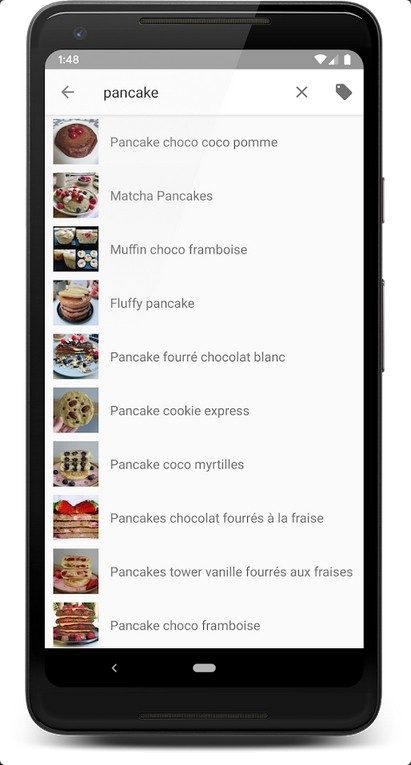
Most diet apps offer fixed meal plans. Cook & Lift really listens to your movement volume. The core feature here is to automatically adjust portion sizes based on daily physical activity. It’s not just about calorie tracking. It cross-references your energy needs and dietary restrictions.
Whether you follow a high-protein diet, cut calories, or stick to vegan and vegetarian, the algorithm will readjust your intake. This is not magic. This is math. Save your workout. You log your meals. The app then generates personalized recommendations. This makes the process instructive rather than restrictive. It can be seen that there is a direct relationship between movement and plate size.
This integration is a key differentiator for anyone looking for a way to track their nutrition and fitness goals. The stats you get are more than just numbers. They are trends. They show evolution. This visibility prevents people from giving up after a week.
Premium features and Pricing Transparency
The basic app is free. This is standard in the mobile ecosystem, but most of the core functionality is actually open here. You don’t have to pay a dime to access the recipe catalog and basic tracking.
However, heavier tools are available with a Premium subscription. We are talking about special recipes. Advanced nutrition advice that goes beyond macros. And crucially, sync with specific wearable devices. If you trust your smartwatch’s heart rate data, the connection is first-rate.
Pricing follows a transparent monthly or annual model. There are also discounts. Discounts are often available for students and members of licensed sports club. This layered approach ensures accessibility. We also consider experienced users who need deeper information.
Manage updates and version control
Updates are enabled automatically through the Play Store. This is the easy part. However, if you need to force an update, the process will be done manually. Go to the Google Play app page and click the Update button. This ensures you have the latest security patches. You also get access to new features as soon as they are released.
What about older versions? APK files can be found from third-party sources. Please proceed with caution. Sideloading causes security risks and possible instability. The developers prioritize stability over legacy support. Therefore, sticking to official channels is the only safe option.
There are currently no officially accredited training programs. The app doesn’t hand you a diploma. But community fills the gap. Complete documentation and video tutorials are updated regularly. These resources help new users navigate the interface without getting lost.
Why this approach is important for nutrition and exercise
The synergistic effect of a varied diet and proper training is Cook & Lift’s main selling point. It meets real needs. This does not only apply to elite athletes. It’s for the student trying to eat better. Suitable for professional athletes to optimize recovery cycles.
This software is based on dietary knowledge. Many of them are verified by nutrition and sports experts. This adds extra reliability. It’s not a guess. You follow a structured plan.
Future roadmap and iOS compatibility
One of the most unique aspects is the gamification of meal preparation. It remains rigorous without being boring. The combination of personalized recommendations, a evolving recipe database and monitoring tools make it a versatile health assistant.
The roadmap is based on user feedback. The team is working to expand the product database. They are improving their recommendation algorithms. Improving compatibility with connected tools is also a priority.
A big concern for many users is the platform availability. The ecosystem may be opened for iOS and other operating systems in the future. Currently, this is an Android-centric experience. However, this architecture has potential for many platforms.
Conclusion
Cook & Lift sets itself up as a guide. It focuses on gradual, structured and motivating progress. This philosophy is based on scientific rigor and respect for different needs. This position is strengthened with each update. Improved ergonomics. Security tightens. The richness of features is constantly increasing.
This approach builds legitimacy. It appeals both to the general public and to tech-savvy foodie. In the crowded market of health technology, we stand out from the crowd by combining technology, exercise and nutrition without compromising clarity. Whether you stick with Android or wait for an iOS port, the core value remains the same. It’s smart eating based on real movement. It’s no longer a question of whether you should track your food or not. The question is, can you afford not to understand the data you’re creating?
Cooking and Lift technical requirements and system compatibility
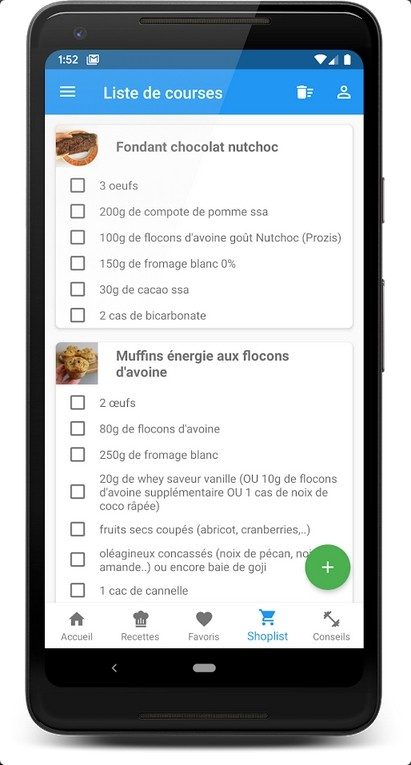
Before you start downloading, you need to check if your phone can actually handle the downloads. While price is the first thing most people look at, the real barrier is often the ecosystem. This is not a standalone software that you can drag and drop. It’s inside the Android ecosystem. Requires an Android device. You can also use a smartphone or tablet. The operating system must be relatively recent. Older devices have synchronization difficulties.
This app falls into the crowded “wellness” category. nutrition. Sports. Leisure. It tries to do everything. You can find it in the Google Play Store. It is the official distribution channel. It’s dangerous to go anywhere else. You are dealing with a freemium model. The core experience is free. But the real features? These are locked behind a subscription or in-app purchase. It is a standard move. It funds the development.
Connections are key here. Applications want to communicate with the cloud. Requires internet to customize recommendations. Sync your progress. Without a connection, you are flying blind. Well, not exactly. It can also be used offline. However, this only applies to already downloaded content. Think of it like a library. You can read the book you borrowed. If the Wi-Fi connection is lost, you will not be able to browse the shelves.
Cooking and Lift integration and offline use
What Doess this tool useful is what it connects to. It’s not an island. Works well with other fitness apps. It talks to wearable gadgets. If you have an Android-compatible fitness tracker, the data flows in. Steps. Heart rate. Calories burned. The application uses this input. It adjusts your meal plans accordingly. It creates a feedback loop. You eat. You move. You see the result.
Storage is handled locally on your device. This is good for privacy. Your information always stays with you. You can enable cloud sync if you want. However, this is optional. This is an important distinction. Many applications require the use of the cloud. This one gives you the choice.
Updates are made through the store. It’s a safe way. Security patches are available. Get new recipes. You get bug fixes. There is no need to manually download the APK. Just click “Update”. Leave the work to the store.
Cooking and Lift emulation and user interface design on PC
This is where things get messy. The application is designed for touch screens. Available in both portrait and landscape mode. You swipe. You tap. It feels natural even on mobile. But what if you need a bigger screen?
Can be run on a PC. However, there is no official desktop version. Requires an emulator. Android emulators are common. These simulate the phone environment on your computer. You can install the app there. it works. But it is not supported. If something breaks, you are on your own. The workaround is: This is a useful option if you want to use a keyboard and mouse. Or a big screen.
The user interface is standard. touch control. The layout is clear. The publisher is a developer listed in the Play Store. There is nothing special there. It’s just plain attribution.
Cooking and Lift system requirements and data protection aspects
So what is actually needed to run smoothly?
- OS: Android. The latest version. Don’t use a device from 2015.
- Storage: Space is needed. For the application itself. For downloadable recipes. For caching.
- Internet: Recommended. Required for full functionality. Optional for basic offline use.
- Language: French is the main language. Other languages depend on local Play Store settings.
Privacy is a hot topic. The application saves the data locally. This is the default setting. Cloud sync is a switch. You decide. If you are concerned about your health information, please review these settings. Don’t think this is all personal. Don’t expect all of this to be public. Read the fine print. The terms change. The policy updates.
This model is subscription based. Or in-app purchases. You pay a premium. The free level has limitations. This is a trap. A gentle one. Let’s start with the basics. You get hooked on the insights. Then you pay. it works.
Does
The Shift Toward Native Development
The industry is quietly moving away from universal wrapper. For years, people have promised one codebase to rule them all. React Native, Flutter and similar frameworks offer speed and cost efficiency. This allows startups to launch simultaneously on iOS and Android. Those days are gone. It’s not because the technology is bad. But because expectations have changed.
Users noticed the difference. Native apps are more responsive. It respects platform conventions. Use your device’s hardware efficiently. Hybrid apps often feel slow. Stutters during animation. This increases battery consumption. As the speed of smartphones has increased, the cost of maintaining two separate native teams has decreased compared to the cost of fixing a bloated universal application.
Why Native Still Wins
The obvious reason is performance. But it’s not just about speed. It’s about the feel. Apple’s HIG and Google’s Material Design are complex systems. Replicating them in a cross-platform framework is like chasing a moving target. As iOS 17 introduces new gestures, native developers can quickly adopt them. Updates to core libraries for cross-platform frameworks can take several months.
Let’s think about the camera. Native apps use the camera directly. You can apply filters in real time. Photos are saved with full metadata. Hybrid applications are often based on bridges. These bridges create bottlenecks. This leads to delays in the user interface. Users reject apps that don’t provide an immediate feeling.
Memory management is another factor. Native code is translated directly into machine language. It uses memory precisely. JavaScript or Dart code runs in a virtual machine. This increases overhead. This additional cost increases in complex applications that contain heavy graphics and real-time data. This affects battery life. The device heats up. Users have noticed. They leave a 1 star review.
The Cost of Choice
So which path should you take? It depends on your goals.
- Speed to market: Cross-platform is faster. You hire one team. Deploy on two platforms. This is ideal for an MVP. It also works with internal tools.
- Long-term maintenance: Native is often cheaper in the long run. You avoid the complexity of bridging. Get access to the latest APIs. You don’t wait for framework updates.
- User experience: Native wins. Always. go native if your application is graphics intensive or dependent on certain hardware features.
There is no perfect choice. It’s a trade-off. Improving performance requires sacrificing development speed. Sacrifice some code reuse to increase user satisfaction.
The future is fragmented
With the rise of artificial intelligence and on-device processing, this is changing again. Native applications can be more easily integrated with local AI models. They have direct access to the neural engine. Hybrid apps struggle with this. They need to send data to the cloud. This increases latency. This raises privacy concerns.
We are seeing a return to specialization. Developers are becoming proficient in Swift and Kotlin. Frameworks like SwiftUI and Jetpack Compose accelerate native development. The gap between native and cross-platform is closing. However, the preference for native are increasing.
This has nothing to do with technology. It’s a matter of trust. Users trust apps that feel like a part of their device. They trust apps that won’t drain their battery. They rely on apps that work offline. Native development delivers on that trust.
The question is not whether cross-platform is dead. It is


