



Qwant was built in France with a singular, radical goal: stop selling your data. Most search engines run on an advertising model that requires them to track you, analyze your past searches, and build detailed profiles. Qwant flips this script. It does not collect user data. No cookies. No browsing profiles. No tracking your history.
This isn’t just marketing fluff. It’s the core of their technical architecture. By refusing to harvest personal information, Qwant attracts privacy-conscious individuals and institutions looking to secure their digital footprint. It is a direct challenge to the giants who profit from surveillance.
Why Choose Qwant for Privacy-Focused Searching?
The appeal of a search engine that respects user privacy goes beyond ideology. It is about control. When you use traditional tools, your queries are often bundled with your identity to serve targeted ads. Qwant strips that away.
“This approach places Qwant in a different dynamic than its major competitors, appealing to a community increasingly attentive to online confidentiality.”
The technical independence is key here. While early versions of Qwant relied partially on external services to enrich results, it has grown to rely more on its own algorithms and index. This independence allows it to offer relevant results without intrusive personalization. You get the web, unfiltered and untracked.
Where to Download and Install Qwant
You can access Qwant in several ways depending on your device. The most straightforward method is simply visiting qwant.com through any web browser. However, the real convenience comes from its ecosystem of tools designed for seamless integration.
Desktop and Browser Extensions
Qwant works across all major desktop operating systems. If you are on Windows, Mac, or Linux, you aren’t installing a standalone executable program. Instead, you are installing a browser extension.
Support is robust for:
* Google Chrome
* Mozilla Firefox
* Microsoft Edge
These extensions are updated regularly to ensure compatibility. They allow you to set Qwant as your default search engine with minimal friction. The installation guides are explicit, even for beginners who might struggle with browser settings. There is no complex configuration required. It just works.
Mobile Apps for iOS and Android
For those on the go, Qwant offers native applications. You can find them on:
* Google Play for Android devices
* Apple App Store for iOS devices
The mobile app mirrors the privacy features of the web version. It includes a permanent private browsing mode. It also manages permissions strictly, ensuring the app only accesses what it needs. You can also use widgets or quick shortcuts to jump straight into a search without opening the full app interface first.
Is Qwant Free?
Yes. Completely. There is no “Qwant Premium” tier. There are no paid student versions. There is no hidden cost. The business model relies on non-intrusive advertising or public funding structures rather than selling your behavioral data. This makes it a viable option for businesses and institutions too, allowing them to integrate Qwant into their workplace policies without risking data leaks or ethical breaches.
The lack of a paid version might seem counterintuitive to some, but it reinforces the commitment to open access. You get the same level of privacy whether you are a casual user or a large corporation.
The Bottom Line
Qwant isn’t just another search bar. It is a statement about how the web should function. By removing the profit motive from data collection, it offers a cleaner, safer experience. The installation process is straightforward across all platforms, ensuring that privacy protection is accessible to everyone, regardless of their technical skill level.
The web remains a place of discovery. Qwant just makes sure you aren’t being watched while you look.


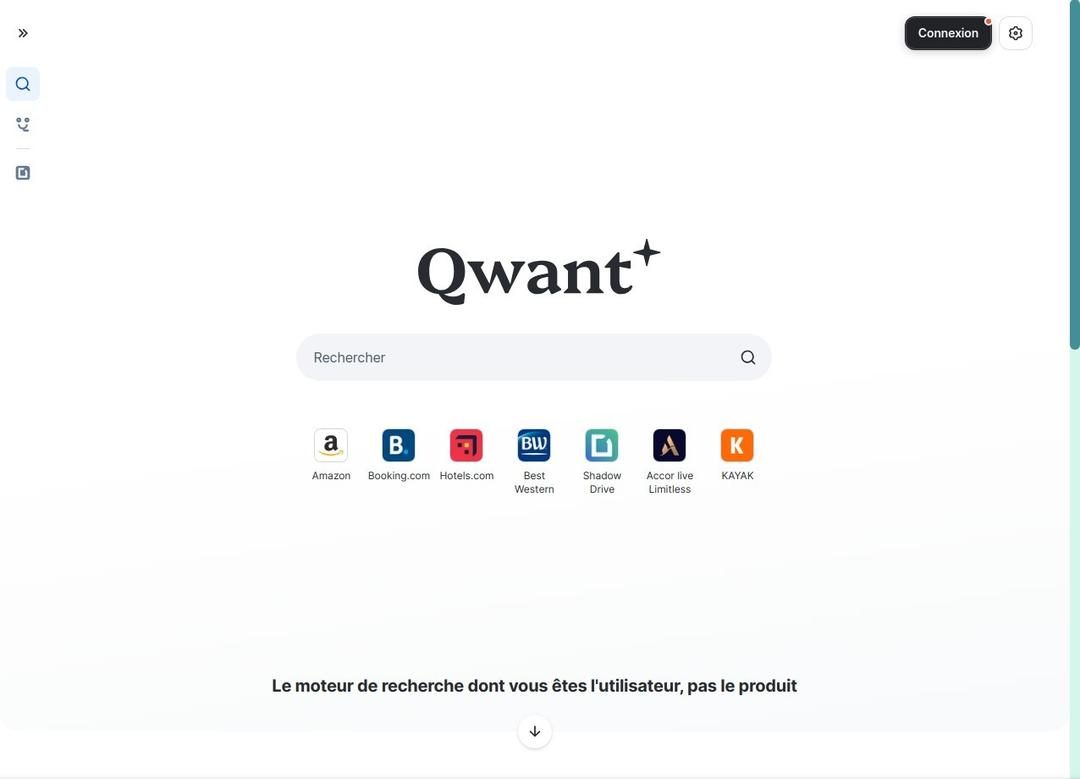
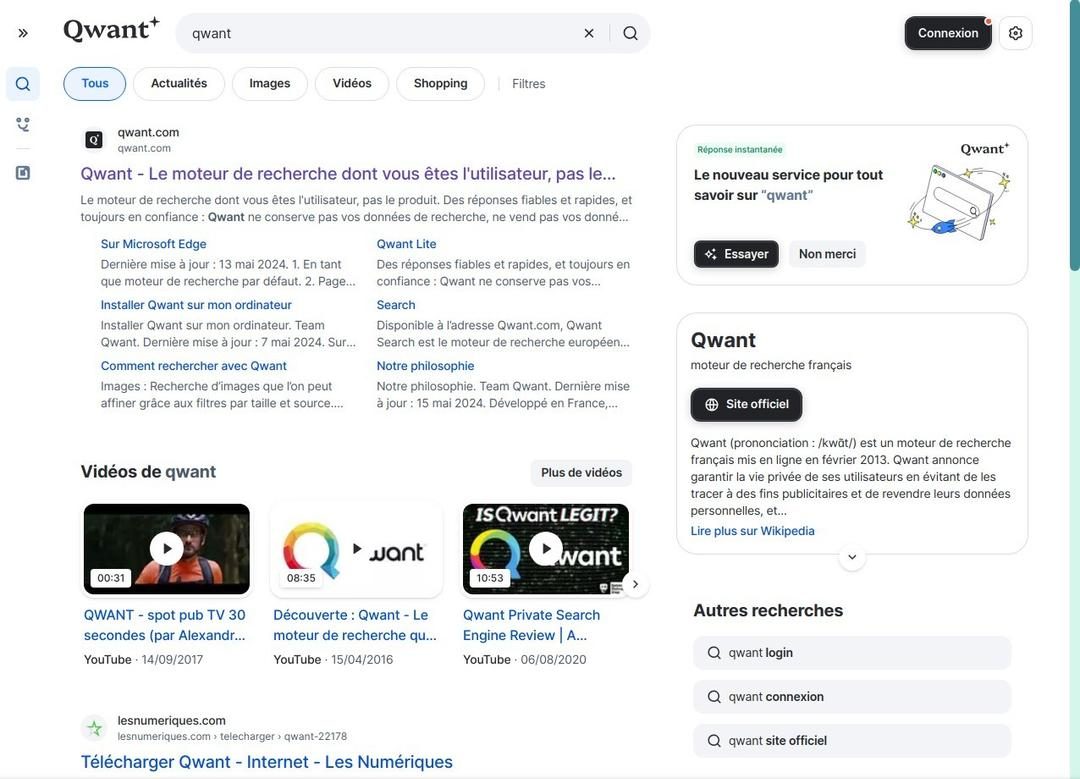
Qwant isn’t just another search box. It’s structured to give you the modern features you expect—news, images, videos, shopping, music, maps—without the clutter. The interface is clean. Barely any noise. You click a tab and you’re there. No unnecessary detours. No intrusive ads interrupting your flow.
This structure matters because it respects your time. Even if you’re not tech-savvy, the navigation feels intuitive. It’s designed for clarity first.
Keeping Qwant Secure and Up-to-Date
Reliability comes from consistent updates. The developers push regular patches for the web version, mobile apps, and browser extensions. These updates usually install themselves automatically. That’s convenient.
But you can take control. Want to check manually? Go to the official download platforms or your browser’s extension manager. It’s there if you need it.
What if something breaks? Rare, sure. But if the app glitches, a simple uninstall and reinstall fixes it. Your customizations stay safe. The installation starts fresh.
You might wonder about older versions. Access to old builds is limited. That’s intentional. Each successive update improves compatibility and security. Sticking to the latest version isn’t just a suggestion; it’s a safeguard against vulnerabilities and lost features. Use the current version. Avoid the risks of outdated software.
No Official Training, But Plenty of Help
Does Qwant offer official certifications? No. None right now.
But do you need them? Probably not. The learning curve is shallow. The tool works out of the box.
If you do need help, the community is active. Specialized forums host discussions. The official documentation is thorough. You’ll find guides on everything from basic installation to advanced browser integration. You can tweak settings to match your preferences. It’s self-service. And for most users, that’s enough.
A Search Engine for Every Screen
Qwant fits into modern digital life because it works everywhere. Android? Yes. iOS? Yes. Windows, Mac, Linux? All supported via web extensions.
This cross-platform compatibility means a consistent experience. Whether you’re on a phone, tablet, or desktop, the privacy protections follow you. Personal use? Education? Professional tasks? The service handles it all.
The appeal is simple: simplicity, free access, and no targeted advertising. In an era where data privacy is a major concern, this offers real peace of mind. It’s not just marketing fluff. The commitment to privacy is baked into the code, the extensions, and the app design.
You get to take back control of your browsing. No compromises.
If you’re looking for a search engine that protects your data without restricting your access to information, downloading Qwant is a logical choice. It aligns with the growing demand for ethical digital tools.
The internet is noisy. Qwant offers a quiet corner.
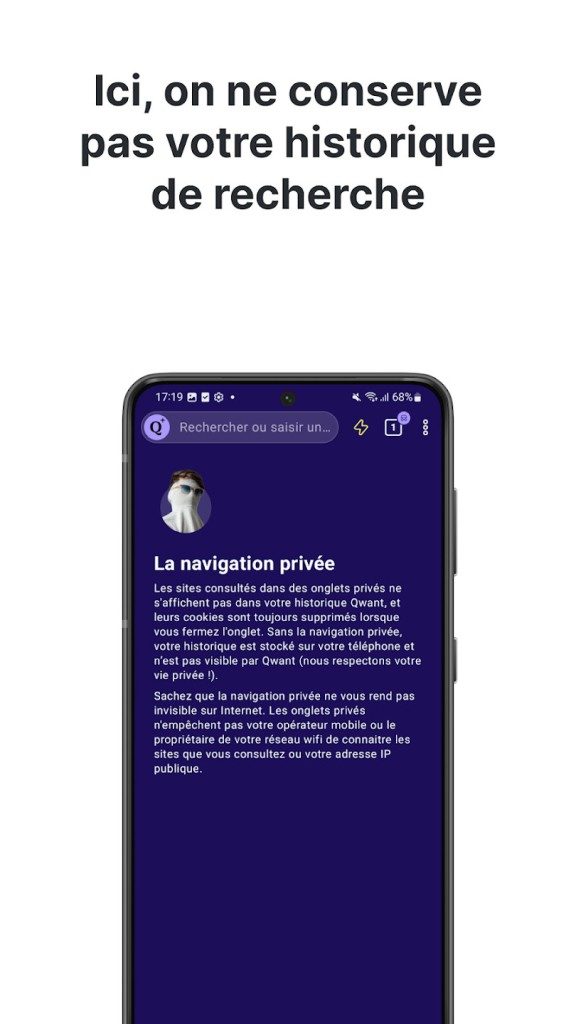
There is no desktop application to install. This is the first thing to understand before you seek out how to download Qwant or if you are wondering where the software actually lives. The service is primarily a web-based search engine. You access it through any modern browser. The “download” usually refers to the mobile apps or browser extensions. This approach keeps technical requirements low. It ensures a consistent experience across devices.
Qwant S.A.S., a French entity, operates this platform. The model is simple. It is free to use. The business relies on contextual advertising. There is no user profiling. This distinction matters. You are not sold a product based on your behavior. The interface supports multiple languages. French is included, naturally. An internet connection is required. You cannot search offline.
Installation and Browser Integration
The philosophy here is privacy by design. This means no ad tracking. Standard search does not require an account. You can use it anonymously. Updates are handled automatically. Mobile stores manage app updates. Browser extension managers handle those updates. This limits maintenance for the user. It removes the friction of manual patching.
For desktop users, the integration is straightforward. Extensions are available for Google Chrome, Mozilla Firefox, and Microsoft Edge. You can set Qwant as your default search engine in seconds. It sits in the address bar. It replaces the usual clutter. No native desktop software exists. This might seem like a limitation to some. For most, it is a feature. Less software running in the background means better performance and less data exposure.
Why Choose Qwant for Private Search?
People download Qwant for a specific reason. They want web searches that respect their privacy. The French engine prioritizes result neutrality. It avoids the heavy-handed ad targeting seen elsewhere. This limits the creation of detailed user profiles. It reduces marketing intrusion. The index is clean. Historically, it has been supplemented by partners. This ensures solid relevance for common queries. It works well for news. Images and videos are also indexed.
The interface is clean. It is easy to read. Navigation uses thematic tabs. This structure helps users move between types of content without confusion. On mobile, the Android and iOS apps mirror this philosophy. They offer fluid search. They do not collect identifiable data. For individuals and organizations concerned with confidentiality, this is a coherent choice.
Performance and Limitations
The strengths are clear. The commitments are transparent. The experience is sober. Ads are contextual. They are not behavioral. This lack of deep personalization limits filter bubbles. You might see a more balanced set of results. This is not always a bad thing. It breaks the echo chamber effect. Display speed is stable. Paths are simple. Settings are accessible.
However, there are limits. Long-tail queries might not be as well-covered. Ultra-specific topics can feel shallow compared to industry giants. Adjacent services like mapping or shopping spaces are less complete. The ecosystem leans heavily on the browser and mobile apps. If you need a native desktop client, this is not it. But for general navigation, vigilance, or educational research, it holds up well.
Who Should Use It?
It is relevant for daily browsing. It fits well for professional monitoring. It is useful for studying. The learning curve is flat. You start using it immediately. Regular updates to apps and extensions support stability and security. If you are ready to make the switch, you can get the app from mobile stores. Add the extension to your browser. The compromise between relevance, simplicity, and data protection makes it a credible alternative. It allows you to work, study, and search without intrusive ad exposure.
450000


The Hidden Cost of Cloud Migration
Most teams think moving to the cloud is a victory lap. It is not. It is a billing statement waiting to happen. The initial migration phase often masks the reality of ongoing operational costs. You are no longer buying hardware. You are renting capacity. And the rates creep up.
Consider the difference between a static website and a dynamic application. A static site on an object storage bucket might cost pennies. A dynamic app with auto-scaling groups, managed databases, and load balancers? That is a different beast entirely. The complexity of the architecture dictates the bill. Simple is cheap. Complex is expensive.
Egress Fees and Data Gravity
Data does not stay put. It moves. And every time it leaves your provider’s network, you pay. This is egress data transfer. Most startups ignore it until it is too late. They assume bandwidth is free. It is not.
Why does this matter? Because your users expect speed. They expect content to load instantly. That requires caching. It requires CDNs. But even with a CDN, if your origin server pulls data across regions, you trigger fees. A global user base can double your compute costs in six months. Not because the servers are slower. Because the data is traveling further.
Which providers offer the best egress rates? It varies. Some charge per gigabyte. Others offer free allowances for specific services. You have to crunch the numbers for your specific traffic patterns. There is no one-size-fits-all answer. You have to measure.
The Vendor Lock-In Trap
You pick a provider for their price. Then you build on their proprietary services. Managed Kubernetes? Fine. But then you use their specific IAM roles, their proprietary logging tools, and their custom database APIs. You are building on sand.
Moving away becomes a nightmare. It is not just about spinning up new servers. It is about rewriting code. It is about retraining staff. It is about downtime. And downtime costs more than the monthly bill ever will.
“The cheapest provider is the one you can afford to leave.”
This is not a marketing slogan. It is a risk management strategy. If your architecture is tightly coupled to a single vendor, you have no leverage. You cannot negotiate. You cannot switch. You are stuck.
Security as a Shared Responsibility
You think buying a firewall package solves everything. It does not. The cloud provider secures the infrastructure. You secure what you put inside it. Misconfigured buckets. Publicly accessible databases. Forgotten development environments. These are not provider errors. They are yours.
One misstep can expose customer data. One open port can lead to a breach. And when the breach happens, the investigation costs will dwarf your monthly cloud spend. You need visibility. You need alerts. You need to treat security as a continuous process, not a checkbox.
Managing the Bill Without Losing Your Mind
Automated tagging is not optional. It is essential. If you do not tag every resource, you will never know who spent what. Engineering teams will waste money. Marketing will spin up environments for campaigns and forget to shut them down. The bill will spike. Then you will panic.
Set budgets. Set alerts. If spending hits 80% of the budget, send an email. If it hits 100%, stop the service. Hard. You can always turn it


