




Simple File Manager isn’t just another app cluttering up your storage. It is a lightweight, open-source solution built for one thing: managing local files on Android without the bloat.
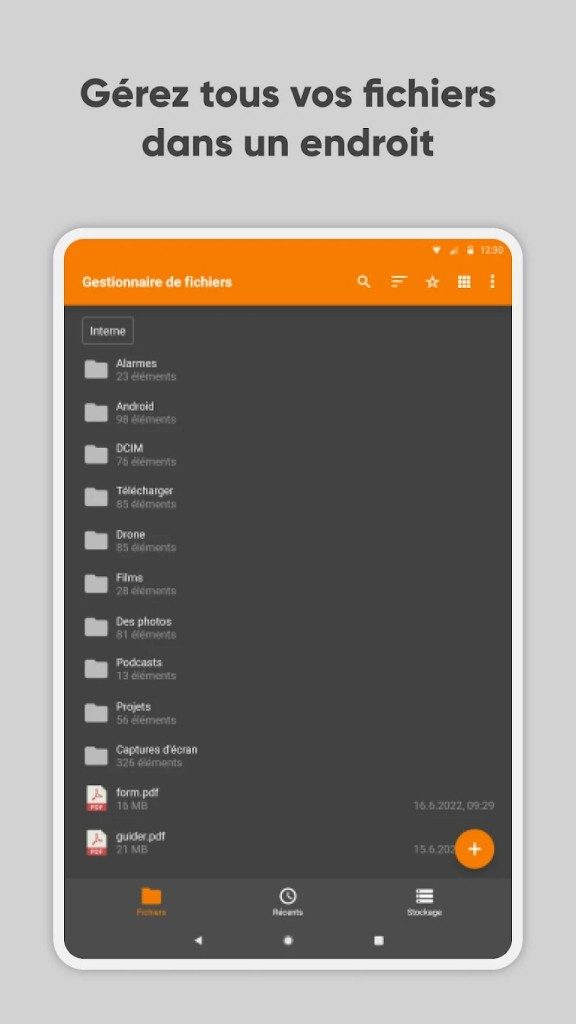
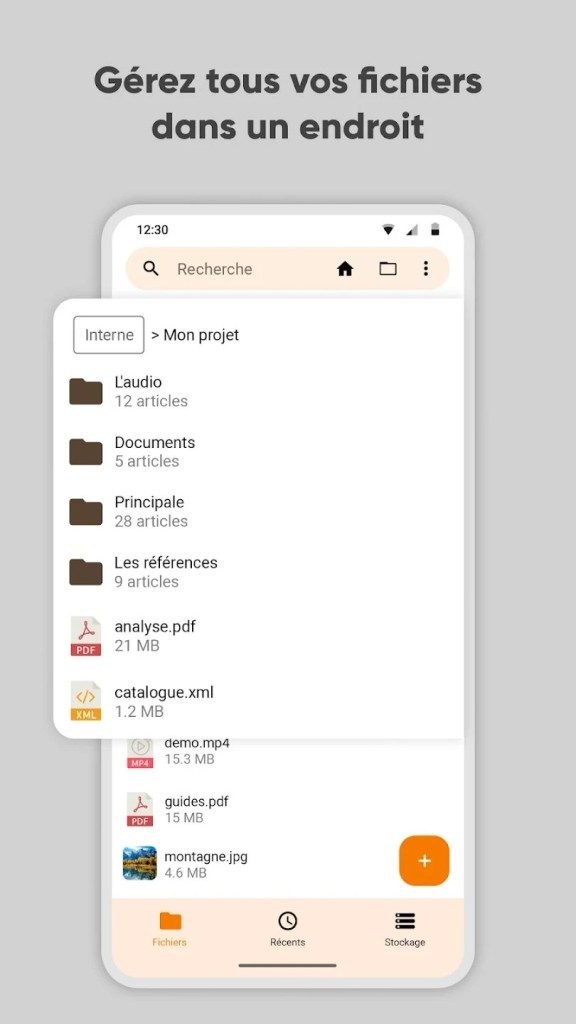
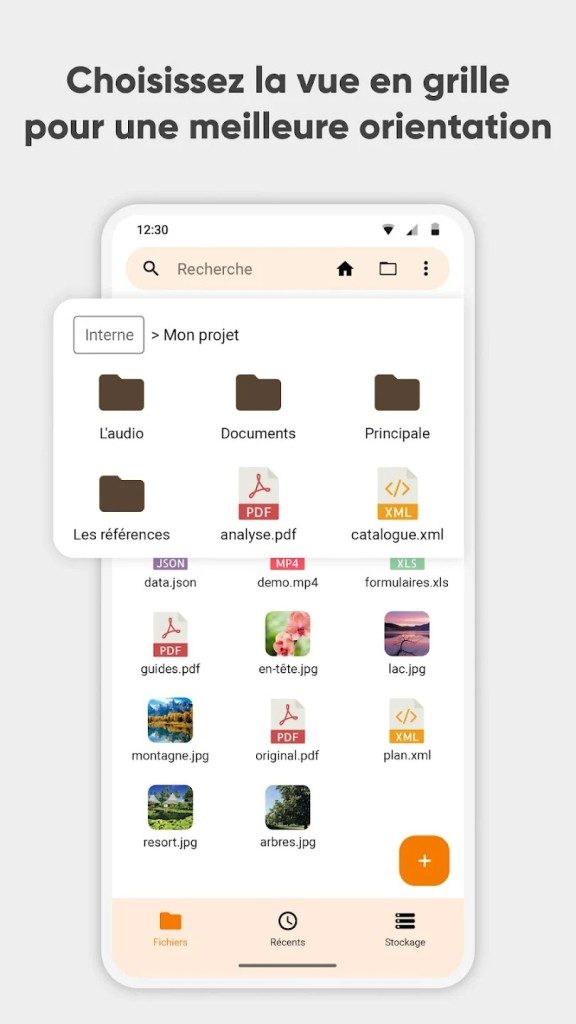
Developed with accessibility in mind, the interface relies on a clear tree structure. This makes navigating your device’s folders intuitive. You can organize documents, images, videos, or system files with ease. Unlike many competitors, it strips away invasive ads and unnecessary features. The focus remains strictly on data autonomy.
Key Features That Define Simple File Manager
The app proves you don’t need complexity to be powerful. It handles the basics efficiently while maintaining a lean footprint.
- File Operations: Move, copy, or delete files in seconds. Create new folders or compress archives into ZIP format.
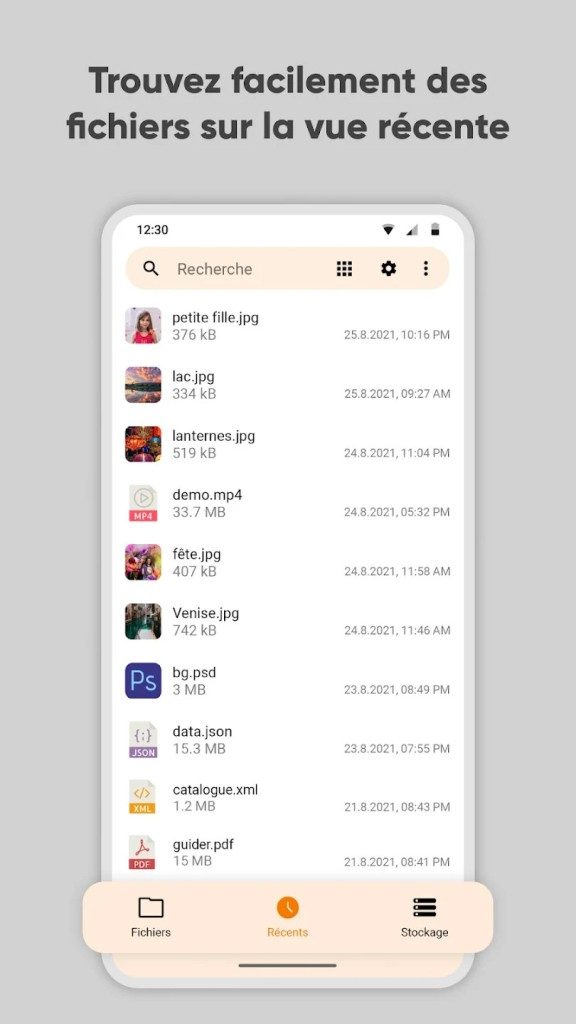
- Sorting: Organize content by name or date to keep your digital life tidy.
- Metadata: Quickly view file properties to understand what you are working with.
- Security: Use a code lock to protect specific sensitive folders or the entire app.
Because the code is open source, transparency is built-in. The community can audit the software, ensuring it evolves based on real user needs rather than corporate agendas. This approach appeals to both beginners and advanced users who want control over their data.
“Simple File Manager offers total autonomy over local data, independent of cloud services.”
Downloading, Installing, and Updating Safely
Where you get the app matters. Simple File Manager is free and safe to download from three main sources: the official website, GitHub, or the Google Play Store. Your choice should depend on your technical comfort level and security preferences.
For most Android users, the Play Store is the easiest route. You search for “Simple File Manager,” click install, and let the system handle the rest. This method ensures you are running a legitimate version with automatic update tracking.
Power users might prefer GitHub. This platform hosts previous releases, which is useful for retro-compatibility with older Android versions. However, there are trade-offs. Older versions may lack critical security patches or new features. If you choose this path, always verify the APK’s authenticity before installing.
Why There Is No Windows or macOS Version
You cannot install Simple File Manager on Windows, macOS, Linux, or iOS. It is an Android-exclusive tool. The app integrates natively with Android’s specific permission and directory management systems.
Trying to force it onto other platforms requires an Android emulator. This process is often unstable and its legality can vary depending on your environment. Stick to Android if you want the intended experience.
Updating is straightforward if you use the Play Store. New versions are pushed automatically. For those who like manual control, you can search for the app in the store and trigger an update yourself. It is a simple process for a tool that prioritizes simplicity and security over cross-platform reach.

Simple File Manager vs. Files by Google and Total Commander
Most file managers try to be everything. They want to be your cloud storage, your ad network, and your data broker. Simple File Manager refuses to play that game. It strips away the bloat. It ignores the cloud.
Compare that to Files by Google. That app is deeply integrated into the Google ecosystem. It offers smart cleaning tools. It helps you manage storage, sure. But it ties you to Google’s servers. It tracks usage. It feels heavy.
Then there is Total Commander. It is powerful. It has extensions. It does almost anything you can imagine. But it is complex. The interface is dense. It is not for casual users.
Simple File Manager sits in the middle. It is clean. It is ergonomic. It has no ads. It has no cloud sync. It just manages files on your device. This makes it a top choice for privacy advocates. They want control. They do not want their data leaving their phone.
Licensing, Pro Version, and Open Source Roots
The base app is open source. You can install it for free. There are no subscriptions. There are no student discounts because the price is zero. The license allows you to modify the code. This matters for developers. It allows the community to fork and improve the project.
But there is a catch.
There is a paid version. It is called Simple File Manager Pro. You buy it once. It is not expensive. It is a one-time fee.
Why pay? The Pro version adds features. It includes FTP support. You can connect to servers directly. It also improves permission management. It removes some limitations found in the free tier. It is for power users who need more than just local file management.
Training and Learning Resources
You do not need a certificate. You do not need a course.
The app is intuitive. The design forces simplicity. You open it. You see folders. You click. It works.
Official training does not exist. The documentation is light. The developers expect you to figure it out. Or look online.
Several forums and video sites have tutorials. They cover basic tasks. How to move photos. How to organize documents. How to secure a folder. The learning curve is flat. This is by design.
It also serves as a case study. Developers interested in open source mobile tools watch it. They study the code. They look at how the team handles privacy. It is a model for responsible data management.
Practical Uses and Android Compatibility
This tool handles real-world tasks. You use it for local organization.
Think about photos. You sort them into albums. Think about large files. You move them between storage cards. Think about backups. You manually save reports to an SD card. The tree navigation helps. It lets you see the structure. Even if the folder tree is deep.
For students or professionals, this is useful. You can organize lecture notes. You can separate project files. It is fluid. It is fast.
There is no forced integration. You do not have to link a cloud account. This reliability matters. Your data stays on your device.
Compatibility is broad. It runs on most Android versions. It supports the latest updates. Check your system version before downloading. Older phones might struggle with the newest release.
Encryption is a key feature. You can lock specific directories. This protects sensitive data. It protects confidential documents. It is essential for professionals handling private information.
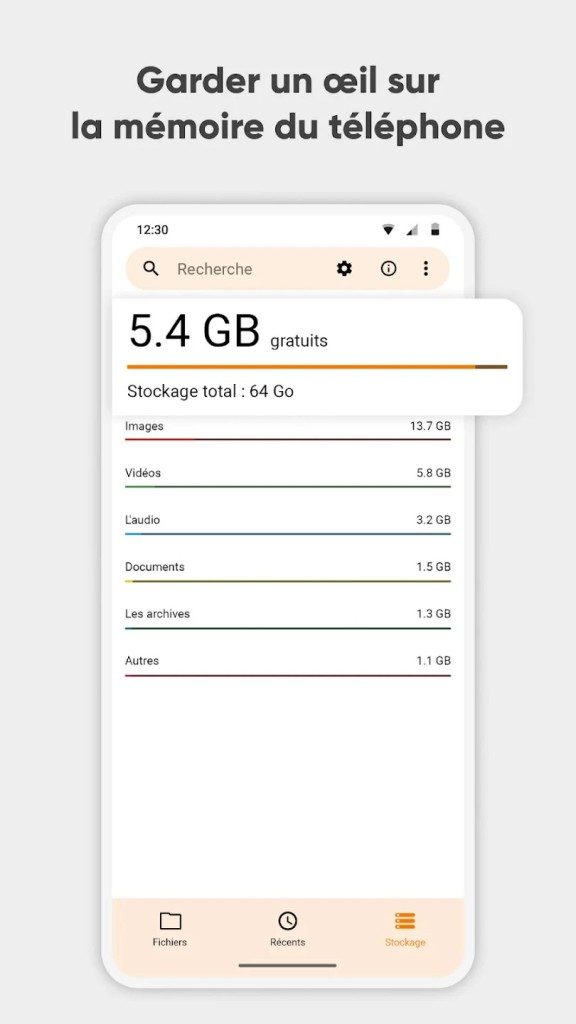
Storage management is another use case. You need to know what is taking up space. You can identify large folders. You can delete heavy files. You can compress archives. This keeps your device running smoothly. It is vital for phones with limited storage.
USB OTG support adds another layer. If your device supports it, you can transfer files to external drives. This expands your storage physically. It makes the app versatile.
Why It Matters for Everyday Users
Adopting Simple File Manager is a deliberate choice. It is for people who want control.
Beginners like it because it is simple. Professionals like it because it is reliable. It is light. It does not drain your battery with background services.
It avoids dependency on commercial offers. It avoids private cloud services. It keeps your digital life contained.
In a world where every app wants to know everything about you, this tool is a refuge. It is a small victory for privacy. It is a reminder that software can be simple. And useful. And respectful.
The future of file management might not be in the cloud. It might be right here. On your device. In your hands.
Why Simple File Manager Fits the Privacy-Conscious Android User
You do not need cloud storage to manage your files. In fact, avoiding the cloud often makes life simpler. Simple File Manager by Simple Mobile Tools offers exactly that. It strips away the bloat. There is no account creation. There is no sync delay. Just local files. Local speed.
The project is open source. This means the code is public. Anyone can audit it. You can trust what you see. The developer prioritizes privacy. This is not a marketing buzzword here. It is baked into the architecture.
Core Features and Compatibility
The app targets Android smartphones and tablets. It supports both 32-bit and 64-bit devices. This ensures broad compatibility. Older phones are not left behind. Neither are the newest flagships.
You get standard file management tools.
– Navigate folders hierarchically.
– Copy and move files effortlessly.
– Rename items without fuss.
– Search for specific documents.
– Check file properties.
– Create or delete directories.
These functions are essential. They are the basics. But they are done well. The interface is multilingual. French speakers find it immediately usable. The design is clean. It does not distract.
No Internet, No Ads, No Compromise
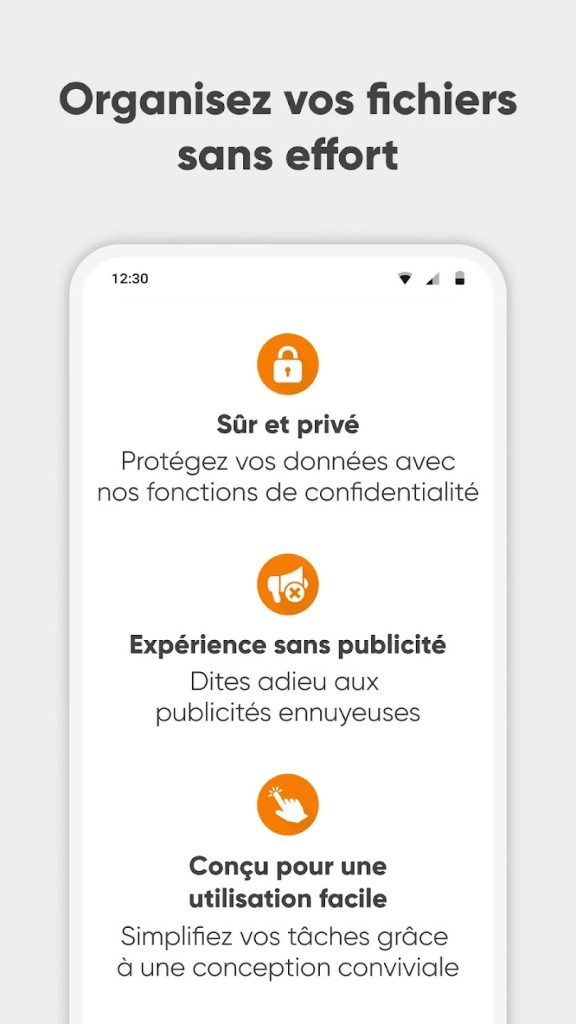
Simple File Manager does not require internet access. This is a feature. It is also a security measure. Your files stay on your device. They do not travel through external servers. This reduces exposure to data leaks.
Ads are absent. The developer believes utilities should not be cluttered with promotional content. If you want an ad-free experience, you get one out of the box. There is no need to pay extra for that basic decency.
Security is handled via a pin code. You can lock the entire app. Or you can lock specific folders. This adds a layer of protection for sensitive documents. It is simple. It is effective.
Archiving and External Storage
The app handles ZIP archives. You can compress files into ZIPs. You can also extract them. This is useful for sharing multiple documents at once. Or for freeing up space.
External storage is supported. If your device has an SD card slot, you can access it. OTG (On-The-Go) USB drives also work on compatible hardware. This expands your storage options significantly. You are not limited to internal memory.
Licensing and Downloads
The model is straightforward. The core app is free. A Pro version exists. It is a one-time purchase. No subscriptions. No recurring fees. You pay once. You keep it.
Where should you download it?
1. Google Play Store.
2. Official project repository (APK).
Both sources are reliable. The Play Store offers automatic updates. The official repository provides direct access. Either way, you get the authentic version. Avoid third-party mirrors. They may bundle malware.
Permissions and Use Cases
The app requests typical permissions. It needs access to storage. It needs to manage local files. Nothing more. This minimal approach respects user privacy.
Who is this for?
Personal users who value simplicity.
Professionals who need a quick, lightweight tool.
It fits both groups. It is easy to deploy. It does not demand high-end hardware. It runs smoothly on most contemporary Android terminals.
The absence of cloud integration might seem like a limitation. It is not. It is a choice. A choice for control. A choice for speed. And a choice for privacy.
Does anyone really need their file manager to be a social network? Probably not.
Simple File Manager knows this. It stays

The Hidden Costs of Legacy Dependencies
The real problem isn’t the code itself. It’s the silence.
Most organizations don’t know they’re vulnerable until it’s too late. They rely on legacy software systems that haven’t received a security patch in three years. The vendor moved on. The documentation is buried in a PDF from 2014. The risk is invisible until the breach happens.
“If you aren’t monitoring your dependency tree, you’re flying blind.”
This isn’t just about big enterprise stacks. It hits small IT teams hardest. They inherit technical debt when a senior developer leaves. The new hire doesn’t understand why the old system works. They patch a hole. They break a feature. The cycle continues.
Why Migration Feels Impossible
Migration seems like a nightmare for a reason.
You can’t just swap out old software infrastructure. The data structures are different. The user workflows are embedded in muscle memory. The marketing team has campaigns tied to the old platform’s specific URL structure. Change one thing, and the whole house of cards trembles.
But staying put is worse.
Legacy system maintenance costs money. Real money. Not just server bills. It’s the salary of the one person who understands the obscure script. It’s the overtime to fix bugs that have been there since Windows XP. It’s the opportunity cost of not innovating.
When you compare modern cloud solutions vs legacy systems, the math usually favors modern. But the emotional cost of change is high. Fear of downtime. Fear of data loss. Fear of looking incompetent in front of stakeholders.
The Human Factor in IT Security
Tools can only do so much.
Human error remains the biggest cybersecurity vulnerability. A well-configured firewall won’t stop an admin who clicks a phishing link because they’re tired. A secure API won’t help if the user writes their password on a sticky note.
Training helps. But it’s not enough.
You need security by design. Build systems where the safe choice is the easy choice. Default to MFA. Restrict permissions by default. Make the correct path the shortest path.
“Technology fails. Processes survive.”
What to Do Right Now
You don’t need a complete overhaul. Start small.
- Audit your dependencies : Use automated tools to scan for known vulnerabilities in your third-party libraries.
- Isolate critical systems : Put your most valuable data behind stricter access controls.
- Document the undocumented : If you know why a weird script exists, write it down.
The goal isn’t perfection. It’s visibility. You can’t fix what you can’t see. The clock is ticking on those unsupported servers. The question isn’t if you’ll migrate. It’s when you’ll start.