



Your computer’s graphics card is doing heavy lifting behind the screen. It handles the math required to render what you see. Without it, you’d just be looking at a black void. This component boosts processing power for two main things: gaming and 3D design software.
But not all GPUs are created equal. In fact, your device might already have one hiding in plain sight.
Integrated vs. Dedicated Graphics
Most modern laptops and desktops come with a GPU baked directly into the CPU. These are called integrated graphics. If you’ve heard of Intel HD Graphics, AMD Radeon Vega, or mobile Adreno chips in Qualcomm processors, those are all examples of this setup.
They are efficient. They can handle 4K video playback in real time. They can even run basic games. The catch? They borrow memory from your system’s main RAM to do their job. This means your CPU and GPU are fighting for the same resources. For casual browsing or light office work, that’s usually fine. For serious rendering, it’s a bottleneck.
“For users wanting to push beyond basic visuals, integrated GPUs simply don’t cut it anymore.”
When You Need a Dedicated Card
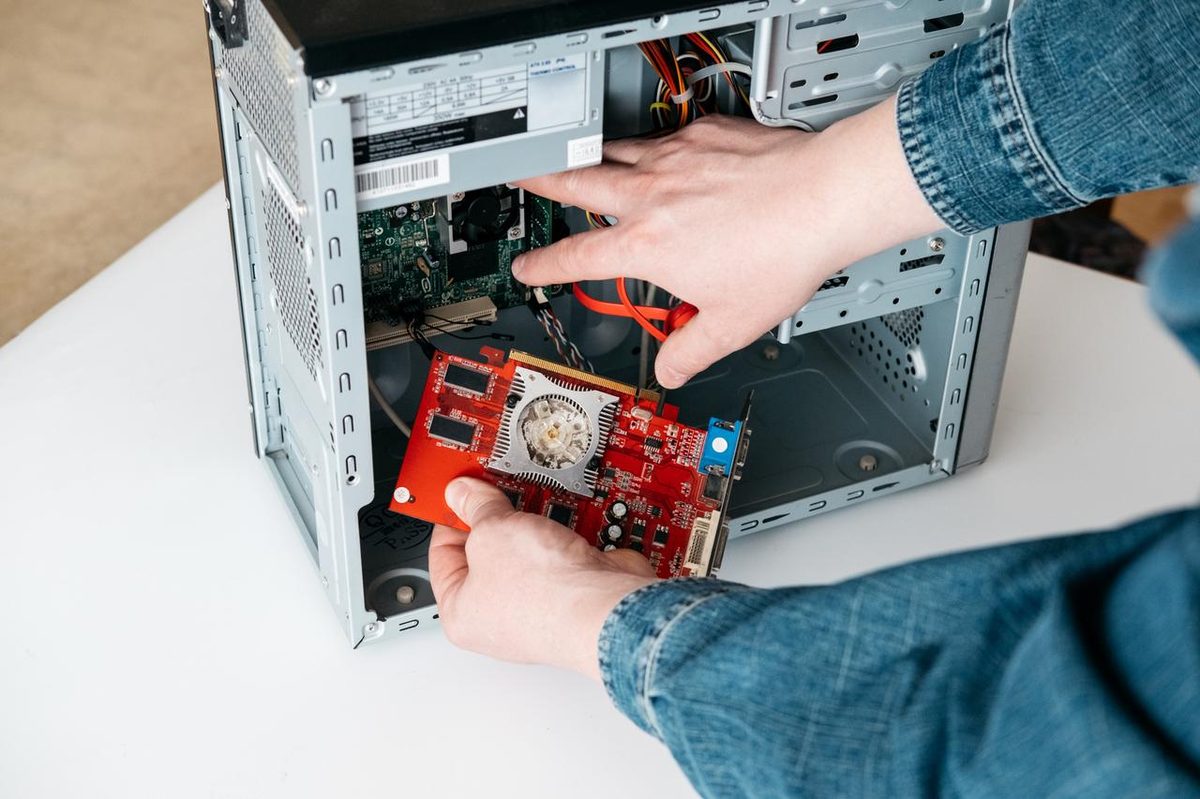
If you are editing video, modeling in 3D, or trying to run the latest AAA titles, the integrated solution hits a wall. You need a discrete graphics card.
These cards bring their own dedicated GPU and their own video memory (VRAM). This separation is key. The graphics processor doesn’t need to wait on the main system memory. It has its own dedicated lane for data. This results in significantly higher performance.
Two companies dominate this space: Nvidia and AMD. They design the chips. Then, they sell them to partners like Asus, MSI, and Gigabyte. These partners build the actual physical cards with cooling systems and power delivery components.
What Matters When Buying a GPU
Prices range from under €100 to over €1,000. Spending more doesn’t always mean better performance for your specific needs, but understanding the specs helps you avoid wasting money.
When looking at a box or a product page, focus on these five metrics:
- GPU Frequency (GHz): This is the speed of the graphics processor itself. Higher numbers generally mean faster calculations.
- Video Memory (VRAM) Size (GB): This is how much data the card can hold for textures and frames. More is better for high-resolution gaming.
- Memory Clock Speed (GHz): This dictates how fast the VRAM talks to the GPU core.
- Memory Bus Width (bits): Think of this as the width of a highway. A wider bus allows more data to pass through simultaneously.
- Memory Type: Look for GDDR6 or newer. Older standards like GDDR3 or GDDR5 are slower and less efficient.
Don’t Forget the Ports
Finally, check the outputs. A powerful card is useless if it can’t talk to your monitor. Common standards include HDMI, DisplayPort, and the older DVI. Make sure the card has the right ports to match your display inputs.
Choosing the right hardware isn’t just about throwing money at the problem. It’s about matching the architecture to the task. Integrated graphics save space and power. Dedicated cards deliver raw power. Knowing the difference saves you from buying a Ferrari to drive to the grocery store—or worse, buying a sedan to race on a track.
The market shifts fast. New architectures drop every year. But the core logic remains the same. You need enough speed, enough memory, and enough bandwidth. Everything else is just marketing noise.